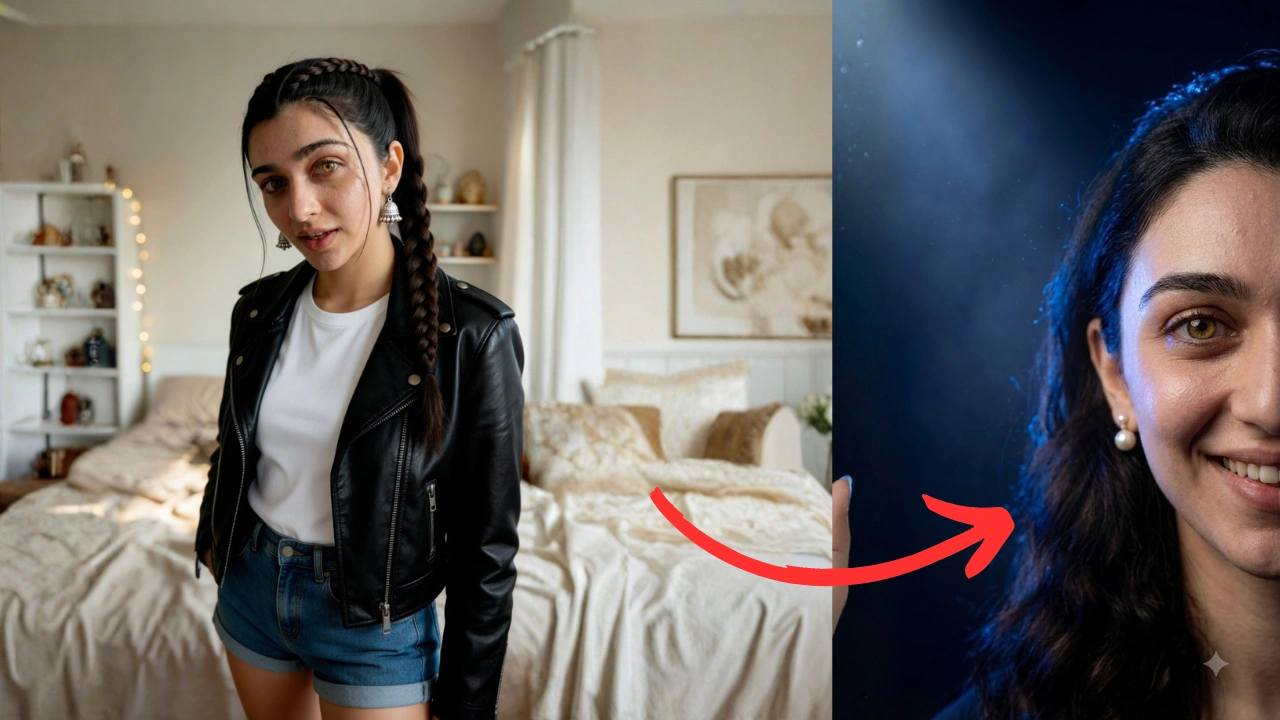
If you want to generate a premium, magazine-cover quality portrait while keeping the Facial Identity of a specific person 100% intact using AI tools like Midjourney, Stable Diffusion, or Leonardo AI, this prompt is exactly what you need.
Below is the step-by-step guide on how to use this prompt effectively to get the best results.
📝 The Copy-Paste Prompt
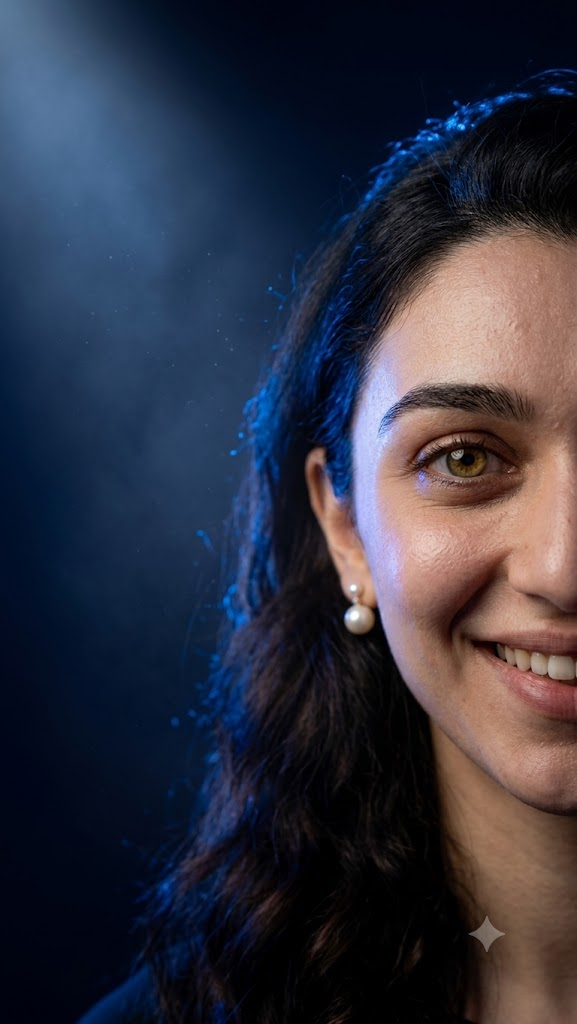
Use the uploaded reference image ONLY for facial identity. STRICT IDENTITY LOCK: Preserve the person's exact face, facial proportions, hairstyle, beard, eyebrows, eyes, nose, lips, skin tone, expression, and natural identity with zero changes. Create an ultra-realistic luxury cinematic studio portrait. Composition: Only the right half of the face is visible, approximately 50% cropped. The subject is positioned on the extreme right side of the frame with large negative space on the left. Looking directly into the camera with a genuine natural smile showing teeth. Lighting: Professional soft beauty key light from front-right. Strong electric blue rim light behind the head and shoulders. Blue backlight illuminating the hair edges. Soft blue spotlight from the upper-left creating cinematic atmosphere. Deep shadows with dramatic contrast. Background: Dark navy blue to black gradient background with subtle volumetric blue light, light haze, minimal blue particles, premium studio environment. Camera: Canon EOS R5, RF 85mm f/1.8 portrait lens, f/1.8, ISO 100, shallow depth of field, HDR, ultra-sharp eyes, realistic skin pores, detailed hair strands, premium editorial photography. Color grading: Deep blacks, cool blue highlights, natural warm skin tones, luxury magazine cover quality, ultra realistic, 8K, photorealistic.
🚀 Step-by-Step Guide for Best Results
The standout feature of this prompt is the “Strict Identity Lock.” To make it work perfectly, your users should follow these steps:
- Step 1: Upload a High-Quality Reference Image: First, upload a clear, well-lit portrait of the person whose face you want to use. (In Midjourney, upload the image to Discord; in Stable Diffusion, load it into ControlNet or IP-Adapter).
- Step 2: Paste the Prompt: Copy the prompt text provided above and paste it into the AI generation text box.
- Step 3: Set the Aspect Ratio: For high-end cinematic portraits, a vertical ratio works best. We recommend using 9:16 or 4:5 (For Midjourney, add
--ar 9:16at the end of the prompt).
🔍 Key Features of This Prompt
This prompt is engineered with specific technical details to deliver elite, high-end photography results:
- Strict Identity Lock: It explicitly commands the AI to lock the facial proportions, hair, eyes, and skin tone, preventing the AI from morphing the subject into a generic face.
- Cinematic Off-Center Composition: Instead of placing the subject in the middle, it crops the face by 50% on the right side. This leaves a massive ‘Negative Space’ on the left, which is highly popular in premium editorial layouts.
- Dual-Tone Studio Lighting: It creates a beautiful contrast by placing a warm, soft beauty light on the face, paired with a sharp Electric Blue Rim Light from behind that accentuates the hair strands and shoulders.
- Professional Camera Simulation: Mentioning the Canon EOS R5 and an 85mm f/1.8 lens forces the AI to render a shallow depth of field (blurry studio background) and ultra-sharp details like realistic skin pores and clear iris textures.
💡 Pro-Tips for Easy Customization
Users can tweak a few words in this prompt to create completely new styles:
- Change the Color Theme: If they don’t want the blue aesthetic, they can replace
electric blueandcool blue highlightswith colors likeneon purple,emerald green, orwarm golden amber. - Change the Expression: To alter the mood, they can change
genuine natural smile showing teethtointense serious lookorneutral editorial gaze.