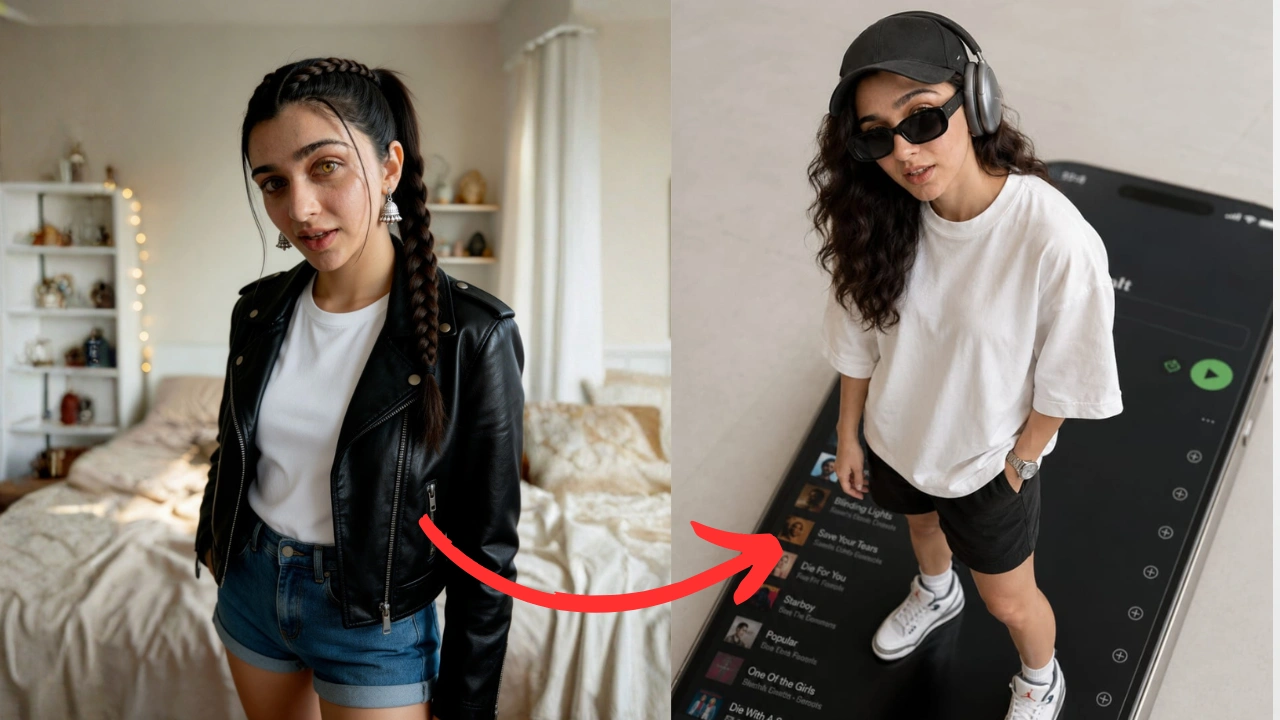
If you want to create premium AI-generated photos with a luxury editorial look, the following prompt is designed to produce highly realistic results. It works best with AI image generators that support reference images.
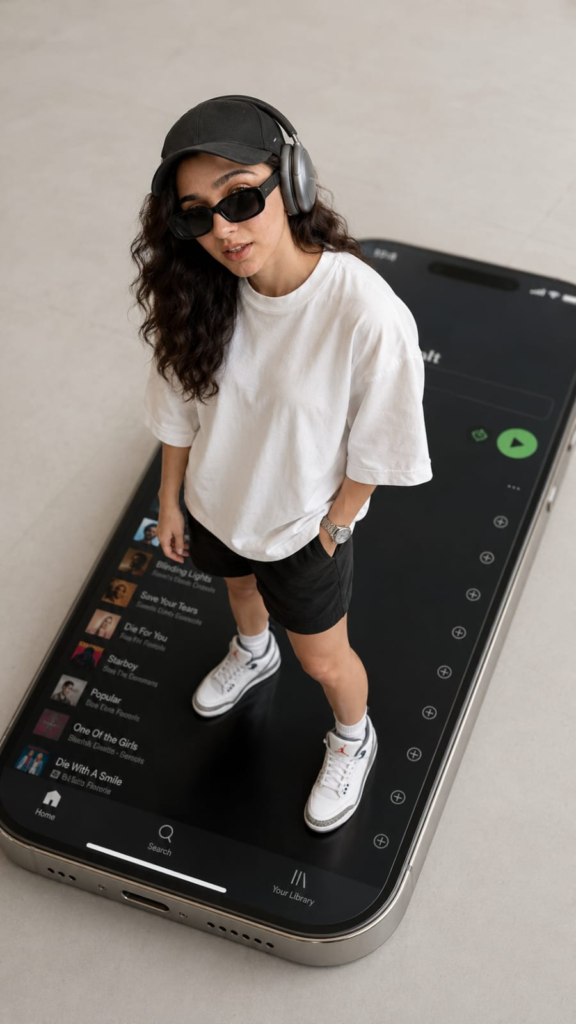
Prompt
Use my uploaded image as the face reference. Create an ultra-realistic iPhone-style photo that keeps my face, hairstyle, and facial features identical to the reference image. I am standing confidently on top of a giant iPhone 16 Pro lying flat on a clean minimalist floor. The iPhone screen displays a modern Spotify playlist with a sleek dark interface. The camera angle is high above me in a dramatic top-down perspective, making the phone appear enormous while I remain perfectly proportioned. I am wearing a black baseball cap, Apple AirPods Max (Space Gray), black rectangular sunglasses, an oversized white t-shirt, black shorts, white Air Jordan sneakers, and a luxury watch. Relaxed confident pose with one hand in my pocket and the other by my side, looking directly up at the camera. Minimalist premium aesthetic, soft studio lighting, realistic shadows, Apple keynote style, clean composition, photorealistic skin texture, ultra-detailed clothing, realistic reflections on the phone, crisp focus, luxury lifestyle, modern editorial photography, 35mm lens, high dynamic range, natural colors, extremely realistic, 8K quality, no text, no watermark, no extra people.
How to Use This Prompt
- Upload a clear portrait of yourself as the reference image.
- Copy and paste the prompt into your preferred AI image generator.
- Enable the face or character reference feature if the platform supports it.
- Generate the image and adjust details such as lighting, clothing, or camera angle if needed.
- Use the highest quality or HD generation settings for the most realistic results.
Best Results Tips
- Use a high-resolution reference photo with your face clearly visible.
- Choose an image with good lighting and a neutral expression.
- Avoid blurry or heavily filtered photos.
- Keep the reference image front-facing for better facial accuracy.
- Generate multiple variations and select the best result.
Frequently Asked Questions
Will the AI keep my face the same?
If the image generator supports face or identity references, it can preserve your facial features much more accurately than using a text prompt alone.
Can I change the outfit?
Yes. You can edit the clothing, accessories, colors, or pose while keeping the same face reference.
Can I replace the phone model?
Absolutely. You can swap the iPhone 16 Pro with another smartphone, laptop, gaming device, or any object by editing that part of the prompt.
Conclusion
This prompt is ideal for creating premium social media content, profile photos, lifestyle branding, and modern editorial-style AI portraits. Pairing a high-quality reference image with a detailed prompt significantly improves realism, lighting, composition, and facial consistency.